
Comments
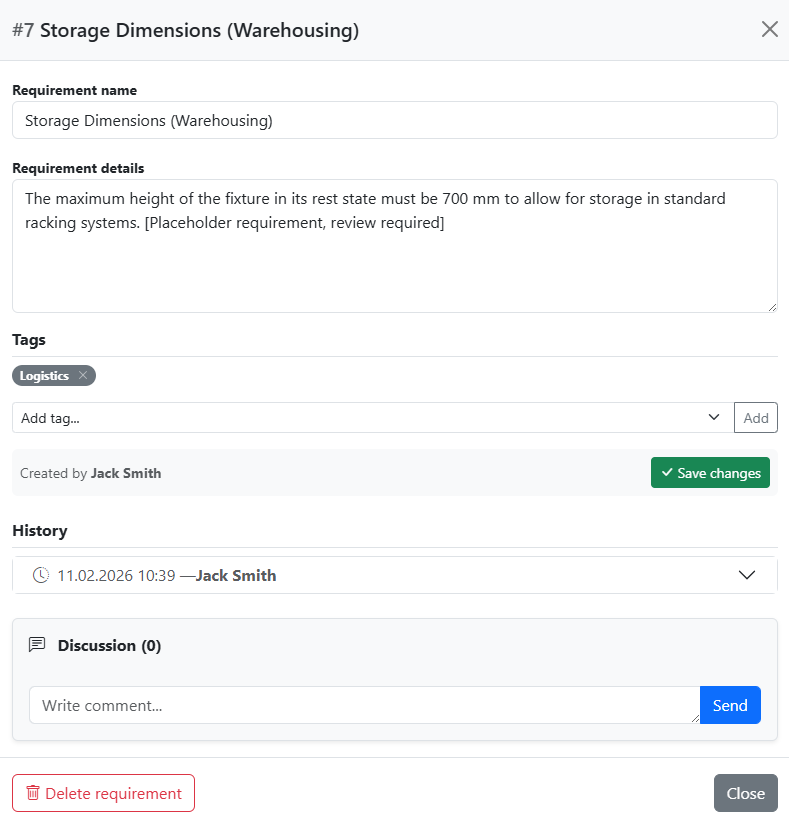
ProjectsETRM is not just a repository for data, but a collaboration platform. The comment function makes it possible to hold discussions, inquiries, and decisions directly where they arise: at the requirement itself.
Creating Comments
To ensure data quality, commenting is linked to permissions:
- Permission: You can create comments if you are a member of the associated group and have the appropriate authorization.
- Context: You can find the comment field directly on each requirement in the requirements list – clicking the speech-bubble icon expands the discussion thread along with the input field, with no window or page change required. The comment function also remains available in the detail view of a requirement.
- Preview: In the requirement list, there is a small icon with a counter for each item, so you can see if a requirement has been commented on.
Automatic Recording (Metadata)
Every comment in ETRM is documented in an audit-proof manner. The system automatically records: * User: Who wrote the comment? * Timestamp: The exact date and time of creation.
This ensures that the decision-making process remains traceable even after months (e.g., "Who requested this change and when?").
Comments in Snapshots and Reports
A special feature of ETRM is the integration of communication into the project documentation:
- Snapshot Function: When you create a snapshot (a frozen project state), the comments are included.
- Traceability: This is particularly important in regulated industries or during audits to be able to prove not only the result but also the coordination process.
- Completeness: External stakeholders thus receive a complete picture of the requirement history.
Best Practice: Use comments to record reasons for status changes. This avoids unnecessary inquiries...