
Working with Requirements
ProjectsRequirements are the smallest building blocks of a project in ETRM. They precisely define what a product must achieve, what properties a material should have, or what goals must be met in a project.
Core Functions
1. Creating Requirements
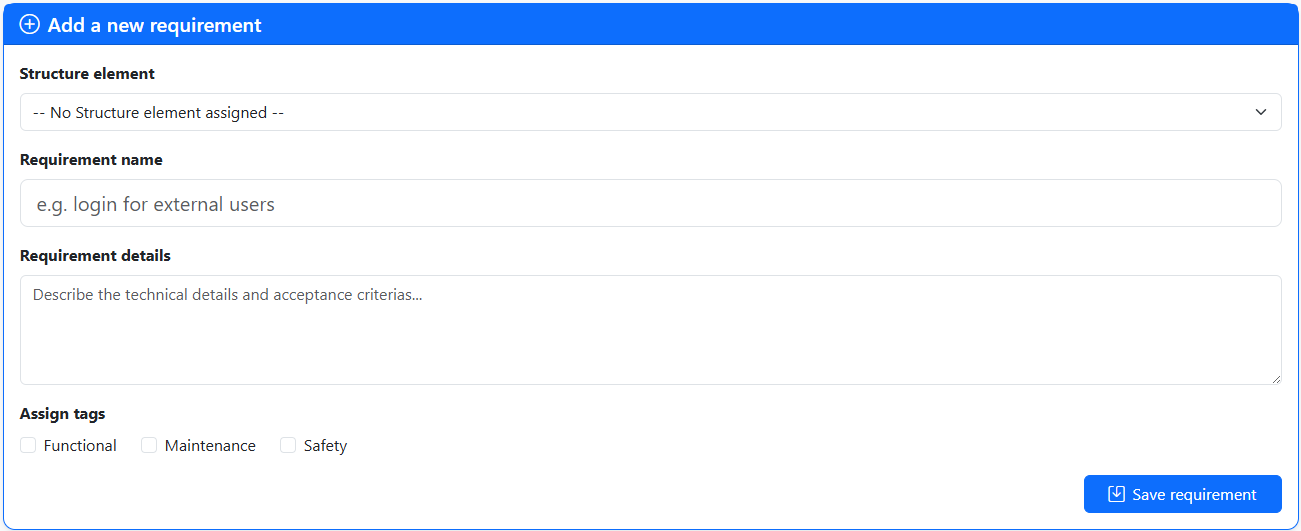
Within a project, you can add new requirements at any time. You assign a meaningful title and a detailed description. Each requirement automatically receives a unique ID for identification.
2. Assigning and Removing Tags
Tags (keywords) serve the purpose of flexible organization.
- Assign: Use tags like
Priority: High,Security, orPhase 1to group requirements by theme. - Remove: Tags can be removed or replaced at any time if the focus of the requirement changes.
3. Changing Requirements
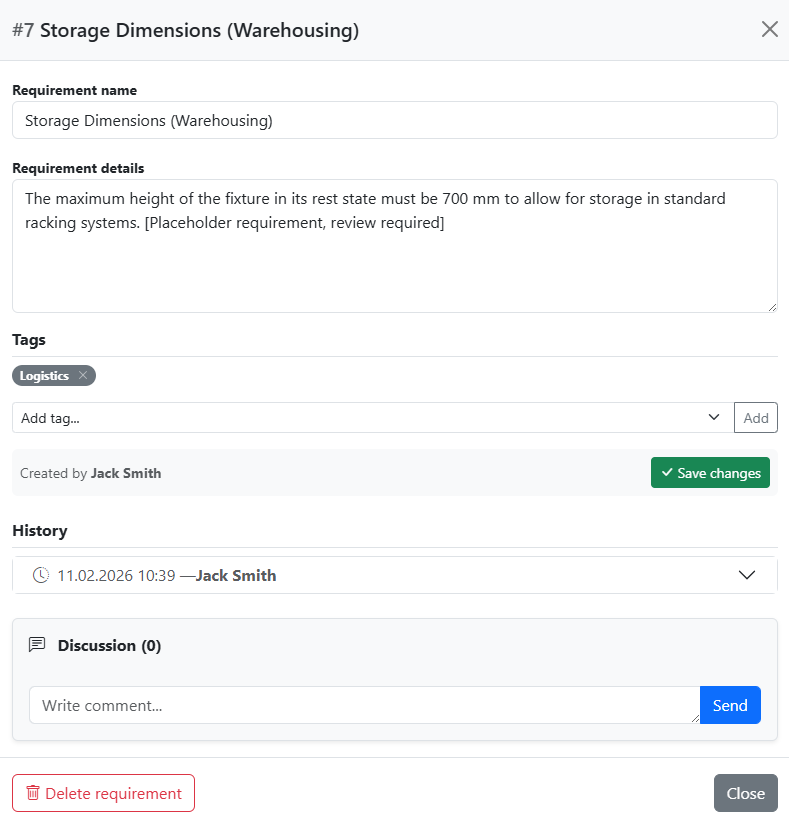
Requirements are dynamic. Edit the title and description directly in the requirements list: click into the field, change the text, and move focus away (e.g. via Tab or clicking elsewhere) – the change is saved automatically, with no separate edit window or save button needed. Tags are added or removed directly on the block as well.
4. Comments
Every requirement has a comment function. Here, team members can ask questions, document decisions, or hold internal discussions without changing the actual text of the requirement. The entire communication history remains stored directly on the object. Clicking the speech-bubble icon expands the discussion thread right below the requirement – again with no window or page change required.
Working Efficiently with Lists
Filtering
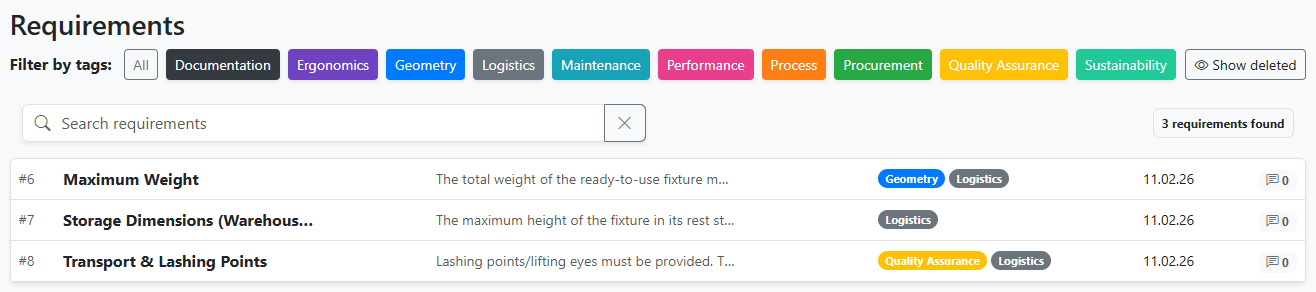
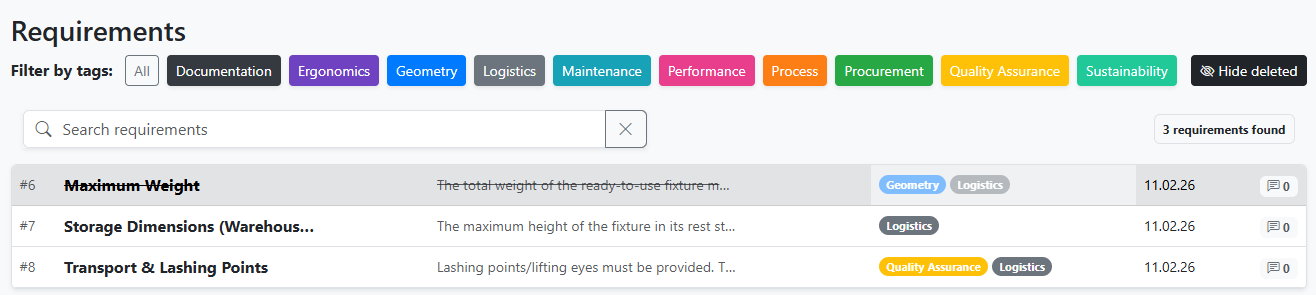
In large projects with hundreds of requirements, the filtering function helps you maintain a clear overview. You can filter the list by tags and choose whether to show or hide deleted requirements. You can also perform a text search to scan both titles and descriptions of the requirements. If you enter a requirement ID preceded by a hashtag (e.g., "#25") into the search field, the requirement list will display that specific requirement along with all its associated child elements.
Deleting
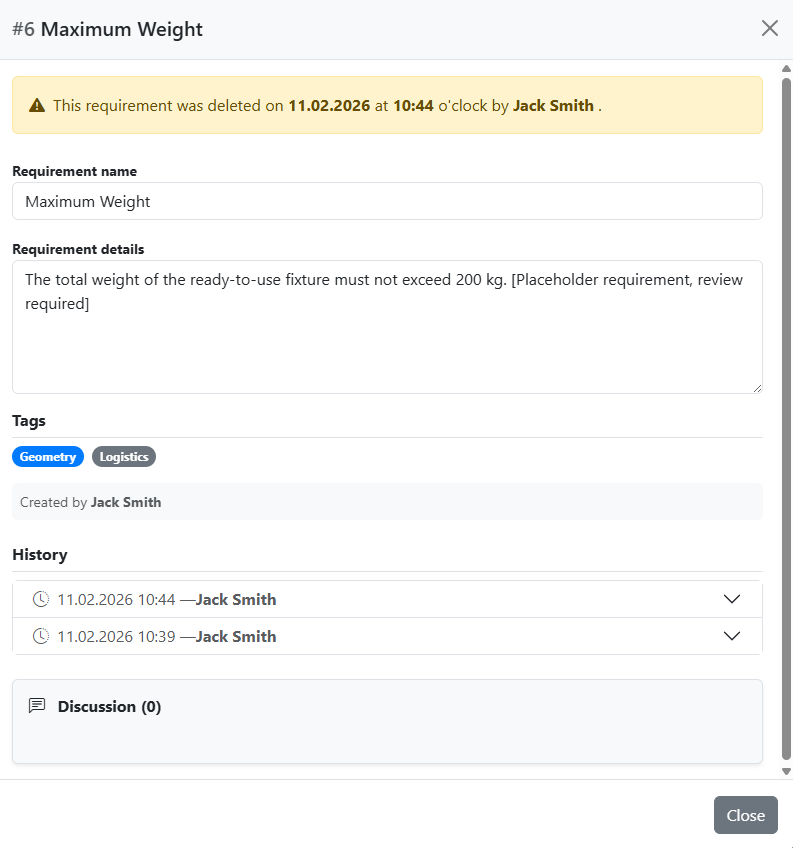
If a requirement becomes obsolete, it can be deleted. Deleted requirements are no longer considered during snapshots, exports, or project copying. However, they can still be viewed in the requirements list, including information on when and by whom they were deleted.
Best Practices for Good Requirements
Clarity: Formulate requirements as atomically as possible (one thought per requirement).
Verifiability: A good requirement should be measurable or testable (e.g., "The housing must withstand a pressure of 5 bar" instead of "The housing must be sturdy").