
Team Updates
ProjectsIf you are in a project with administrator or editing rights, the "Team Update" button will be displayed below the requirements list.
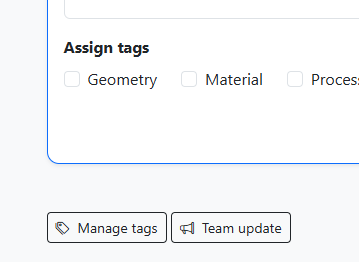
The team update is used to inform group members about current changes. Notifications are sent via email. Recipients receive a message from the ETRM system indicating that something has changed in a specific project. The person who triggered the team update is also displayed.
How the team update works
Click the button to open a preview window titled "Notify team."
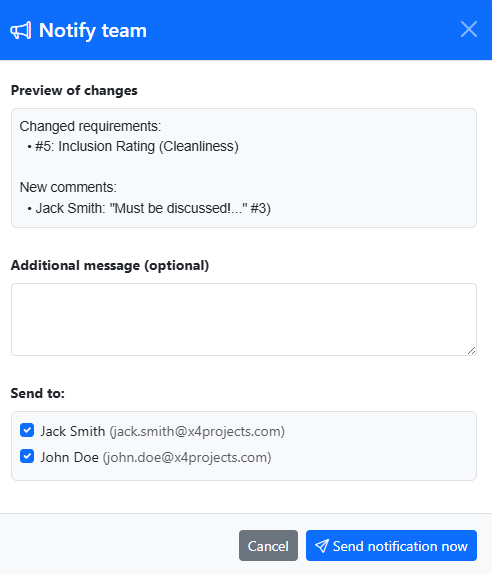
- Preview of changes: This shows which project content has changed. This includes the project description, requirements, and comments.
- Additional message: Here you can enter an explanatory text to justify the reason for the team update.
- Recipient list: All group members are listed here and are pre-selected by default. You can deselect individual recipients here.
How the change display works
Basically, only changes that have occurred since the last team update are listed. If a snapshot of the project has been created in the meantime, all changes since that snapshot will be displayed.
1. Requirements
Requirements are listed with their requirement number (which is always unique within the project) and the requirement title. The recipient of the team update receives a link to the ETRM in the email to access the detailed information.
2. Comments
Comments are displayed with their full content and the requirement number to which they are assigned.
Practical tip: Use the team update to regularly inform project stakeholders about the current status with an additional personal message. A team update can be good preparation for agreeing on a status before creating a snapshot.
Important: Even if the requirements list shows comments marked in red (= comments after the last snapshot) and other symbols for changes, the team update may not show anything. The indicators in the requirements list always refer to the last snapshot, while the team update always refers to the last information status of your team. If the team update shows no changes, your team is up to date.