
Project Management in ETRM
ProjectsIn ETRM, a Project is the central container for all requirements, specifications, and documentation of a specific endeavor. Each project is assigned to a group and serves as a structured work environment to achieve your development goals.
Creating Projects
There are several ways to start a new project in ETRM:
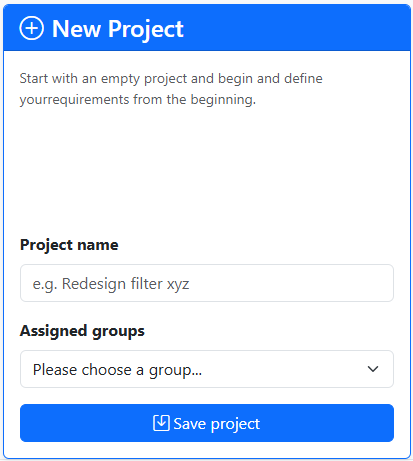
- Create New: Start with an empty project (assigned to a group) and define names, requirements, and tags from scratch.
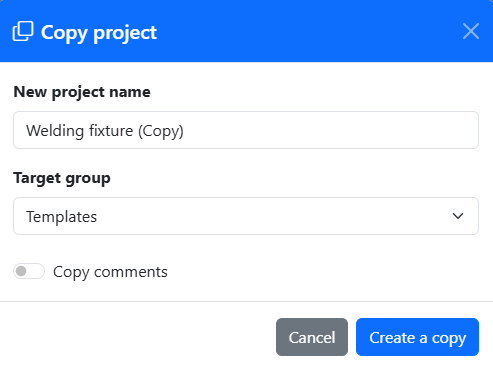
- Copy (Duplicate): Use an existing project as a template. The basic structure and, if desired, the requirements are adopted – ideal for follow-up projects or variants. For recurring similar tasks, it is recommended to create a group called "Templates" and set up template projects there.
-
Import: Existing datasets can be loaded directly as a new project via the import interface. The import format is ETRM-specific but openly designed in JSON format.
-
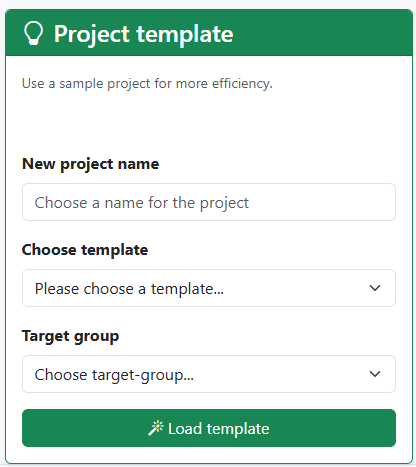
Templates: Use a predefined template for your project. The content of the templates can be previewed in the help section.
The Project Detail Page
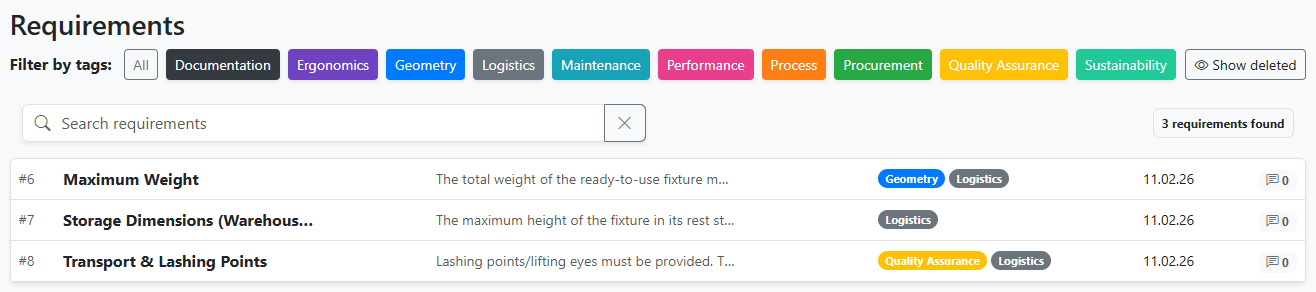
Clicking on a project in the overview takes you to the Detail Page. This page is the heart of your work: * It is structured as a systematic requirements list. * All individual requirements are listed here. * Each requirement can be viewed, edited, or commented on directly. Classification of requirements is handled via tags.
Export, Archiving, and Deletion
To complete a project lifecycle or secure data, the following functions are available:
Exporting
You can export the entire project content, including all requirements, at any time (JSON format).
Archiving
Once a project is completed, it should be archived. * Archived projects are read-only (cannot be accidentally changed). * They remain in the database for reference purposes but no longer clutter the standard overview.
Deleting
Deletion irrevocably removes the project and all associated requirements from the system.
Note: This action can only be performed by Group Admins and should be used with caution.
Reports
ETRM offers the possibility to record active requirements (= non-deleted requirements) in a snapshot or report. These snapshots can be printed as PDFs, for example, and thus also represent a form of data export.