Traceability: links, suspect links, matrix and coverage
Analyse and linkThe video is narrated in German; you can switch on subtitles in the player. Playing the video connects to YouTube (Google). More in the privacy policy · Watch on YouTube
Traceability means that for every requirement you can trace where it comes from, how it is implemented and how it is verified. ETRM represents this with typed links between artifacts. Which link types exist and which artifact types they may connect is defined in the project properties.
Creating links
A link has a source, a target and a type with a reading direction, for example:
- system requirement is derived from stakeholder requirement,
- test case verifies system requirement,
- system requirement depends on system requirement.
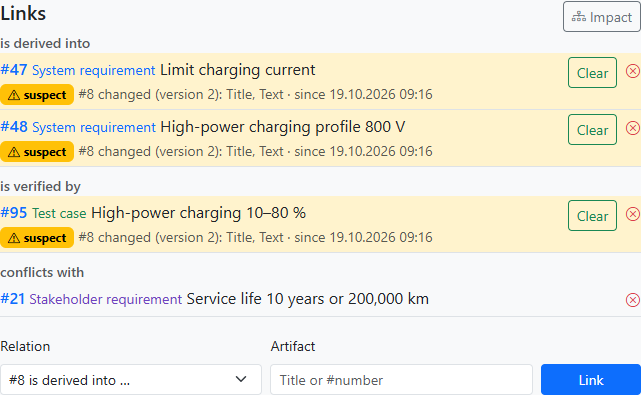
On the artifact page, in the Links area, choose the relation and search for the other artifact by title or ID (#12). Only relations and artifacts permitted by the configuration are offered. The link appears on both sides: at the source under the name (“is derived from”), at the target under the inverse name (“is derived into”).
You can also set links directly in the traceability matrix (see below).
Suspect links
If a requirement changes, the requirements and test cases derived from it may no longer be correct. ETRM therefore marks the affected links as suspect:
- Triggers are changes to title, text or type and to attributes marked as significant (e.g. a limit value).
- For each link type it is defined whether a change of the source, the target or both makes the link suspect. For is derived from, the link becomes suspect when the higher-level requirement (the target) changes.
- Suspect links show reason and time and are highlighted in yellow in the document, table and project overview.
Check and clear: open the dependent requirement, check whether it still fits and adapt it if necessary. Then click Clear on the link. Clearing is recorded with person and time in the link history.
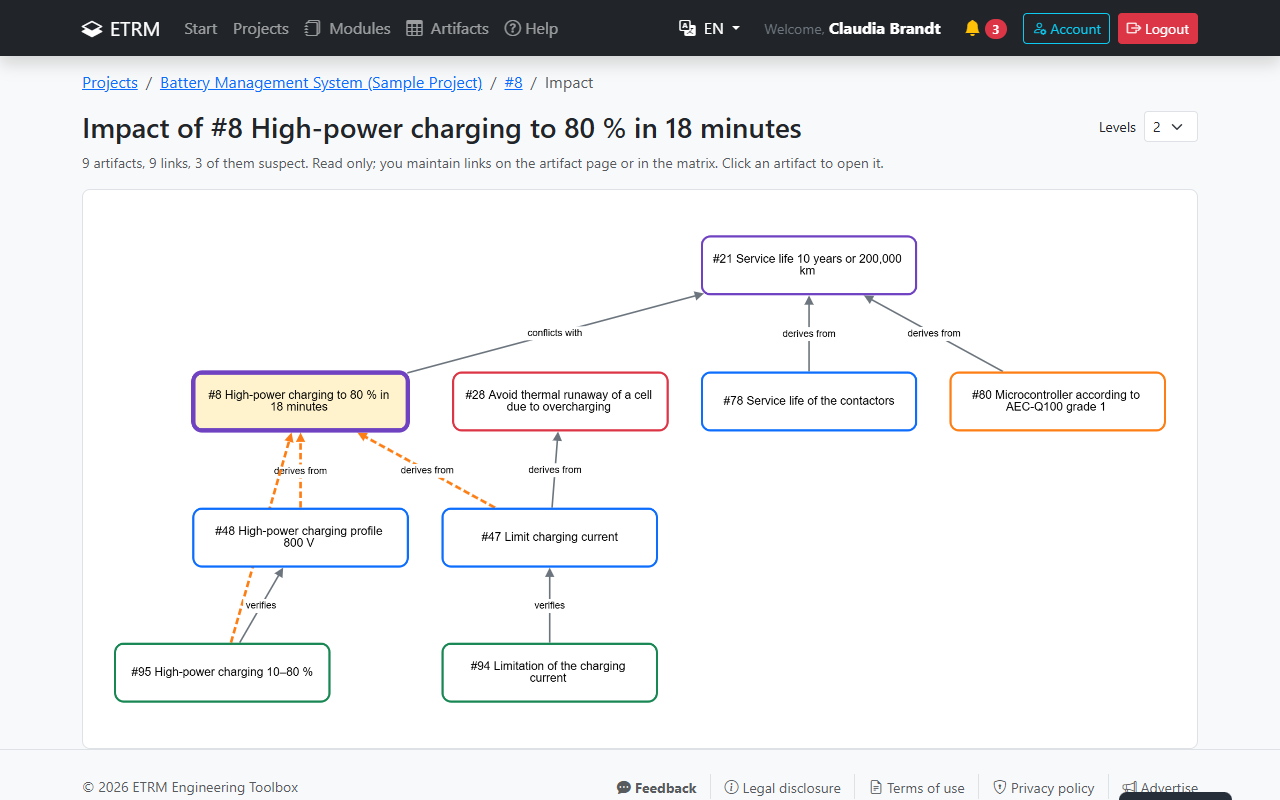
Example from the sample project: The specification shortens the fast charging time from 20 to 18 minutes. As a result, the links of the two derived system requirements “Ladestrom begrenzen” and “Schnellladeprofil 800 V” and of the test case “Schnellladung 10–80 %” become suspect.
Traceability matrix
The matrix compares two artifact types, for example system requirements (rows) and stakeholder requirements (columns), optionally limited to individual modules and link types. Each cell shows whether a link exists and whether it is suspect. Empty rows and columns make gaps visible immediately.

If exactly one link type is selected, you set and remove links by clicking into the cell (role EDIT and above). The direction follows from the allowed source and target types.
Coverage
Coverage answers questions such as “Which system requirements are not yet verified by a test case?”. You choose artifact type, link type and direction and see the share with a progress bar and the lists of covered and open artifacts.
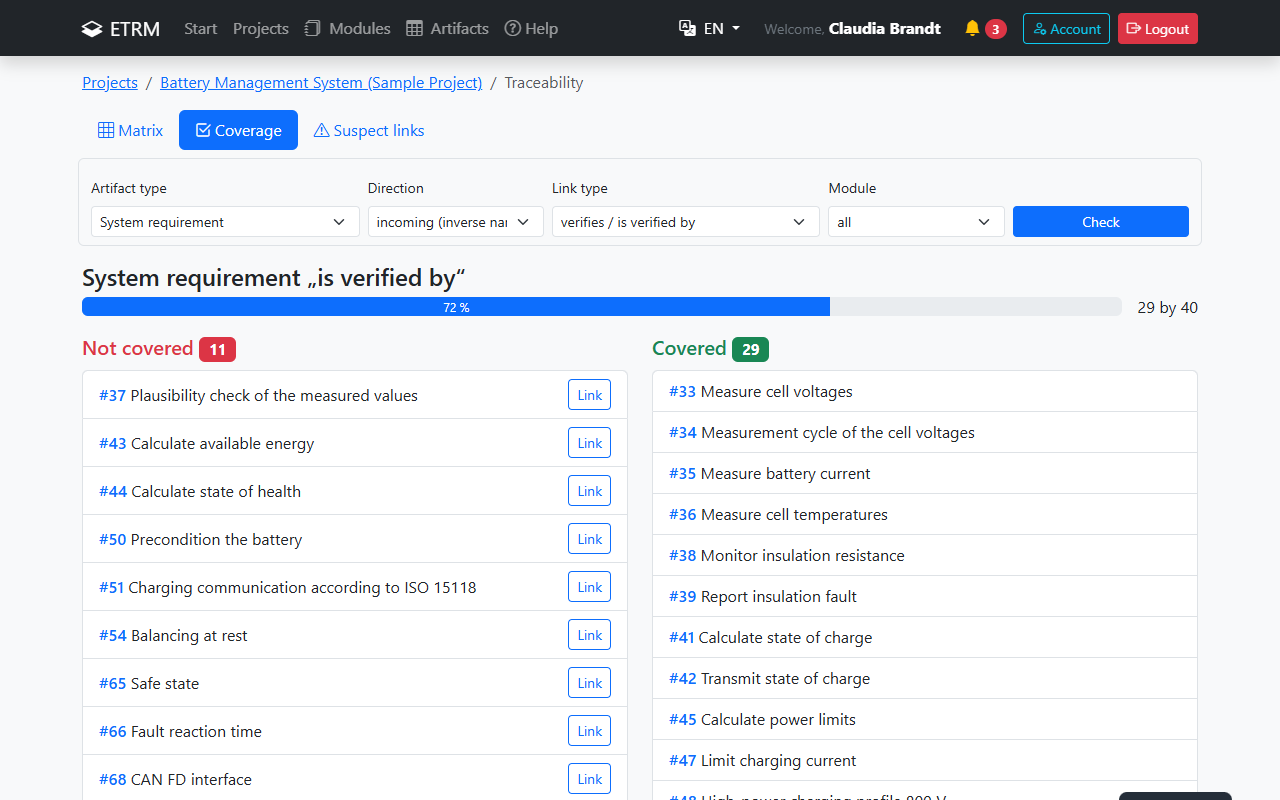
An overview of all coverages of a project is shown in the metrics. You also find the open artifacts in the table view with the filter Missing link.
Impact analysis
Impact on the artifact page shows as a network which artifacts are connected to the selected artifact via links, over one to four levels. Suspect links are dashed. This lets you estimate before a change what has to be followed up; a change request contains the same list automatically.